Switcher / multi-AI user
Move a Claude conversation to Gemini
To keep one Claude conversation going in Gemini, start a new Gemini chat with the conversation attached. Carry, our Chrome and Edge extension, does that in one click. To move your whole Claude history, Gemini can import Claude’s data export.
Three ways to move from Claude to Gemini
| Way | What moves | Wait | Best for |
|---|---|---|---|
| Carry’s Continue in | One chat, cleaned, attached to a new Gemini chat | Seconds | Picking up a thread now |
| Gemini’s chat import | Claude’s export ZIP, as Gemini chats | Up to a day, after the export arrives | Moving everything once |
| Gemini’s memory import | Preferences and facts, not chats | Minutes | Making Gemini know you |
Continue one Claude chat in Gemini with Carry
- Install Carry, connect Claude and pick a folder. Chats save to
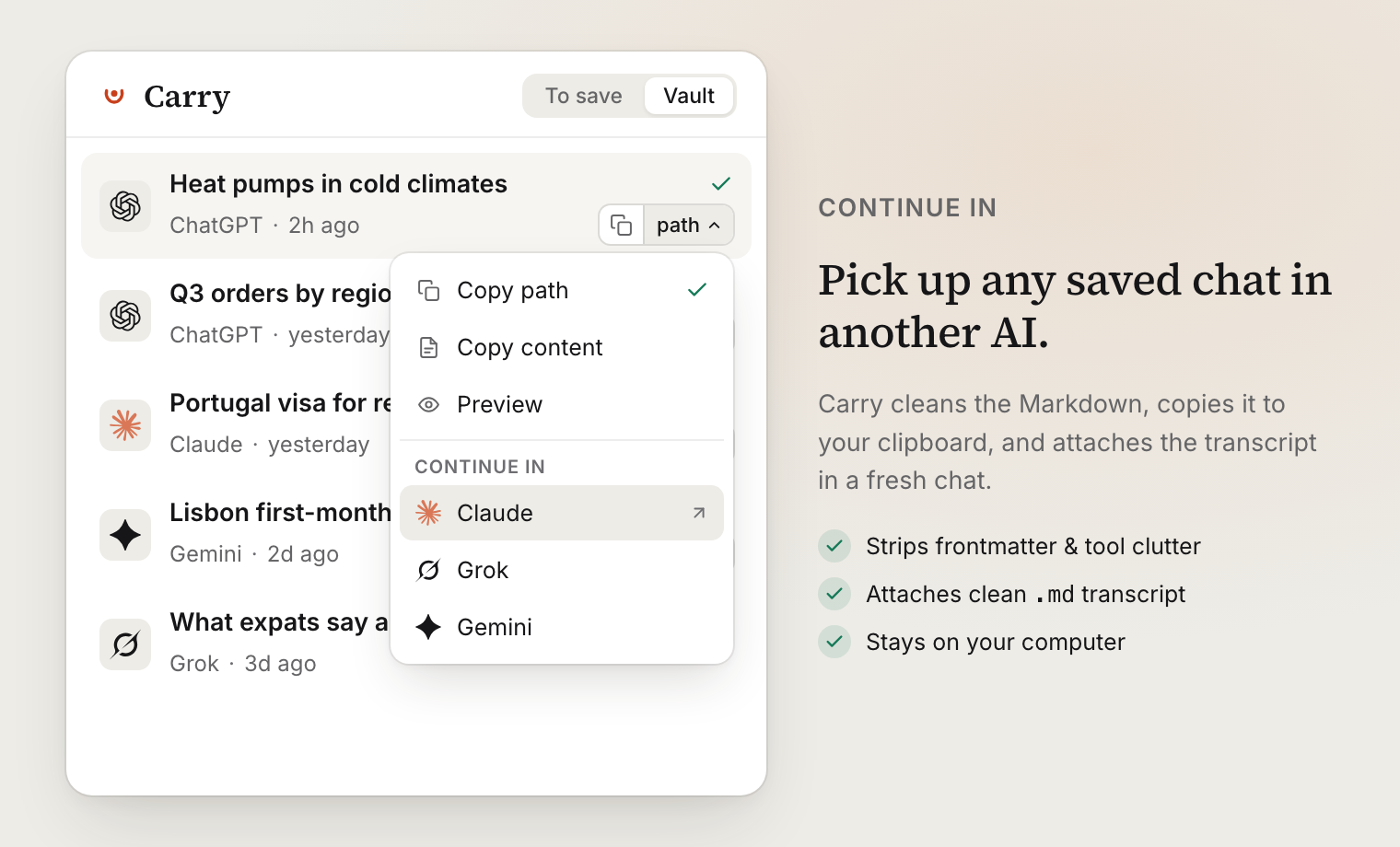
carry-backup/claude/as Markdown. - In Carry’s Vault tab, open the menu on a chat and choose Continue in → Gemini.
- Carry opens a new Gemini chat with the cleaned
.mdfile attached and a continue instruction ready to review — nothing is sent until you press Enter. If attaching fails or Gemini isn’t connected, the chat is copied to your clipboard to paste. You can also trigger Continue in from note preview or from collected search quotes.
- Browsers
- Chrome, Edge, Brave, Arc, Vivaldi (Chromium)
- Saves
- ChatGPT, Claude, Gemini and Grok
- Projects
- Instructions, files and chats
- Search
- Every saved chat, one box
- Privacy
- Never uploaded; no Carry account
The chat stays in your folder, so you can continue it in ChatGPT or Grok later too.
Import all your Claude chats into Gemini
- In Claude, open Settings → Privacy → Export data (Anthropic’s guide). Open the emailed link signed in, within 24 hours.
- In Gemini, use the import for other AI apps (Google’s guide) and upload the ZIP.
- Wait. Google says processing can take up to a day.
- Regions
- Not in the EEA, Switzerland or the UK
- Accounts
- Personal, 18+; no work or school
- File
- ZIP, up to 5 GB, 5 a day
- Uploading again
- Replaces chats you imported before
- Your data
- Google may use it to improve its services
Move your Claude memory to Gemini
In Gemini, open Settings → Import memory to Gemini. Copy Gemini’s prompt into Claude, paste Claude’s reply back, then click Add memory.
Continue any Claude chat in Gemini.Every chat saved as Markdown, ready to pick up in another AI.


Common questions
Can Gemini import Claude chats?
Yes, on a personal account outside the EEA, Switzerland and the UK. Upload Claude’s export ZIP to Gemini’s import.
Does Carry move chats into Gemini’s chat list?
No. It opens a new Gemini chat with the conversation attached. Your Claude chat list stays in Claude, and every chat stays saved in your folder.
Can I move a Gemini chat back to Claude?
Yes. Carry saves Gemini chats too, so Continue in works both ways.
Coming from ChatGPT instead? See ChatGPT to Claude.