Tutorial
Preview saved chats right in your browser
A clean chat history viewer for ChatGPT, Claude, Gemini and Grok: open any chat Carry saved in its own tab, as a readable page or raw Markdown.
Open the Vault tab
Click the Carry icon in your toolbar, then Vault. Every saved chat is listed, newest first.
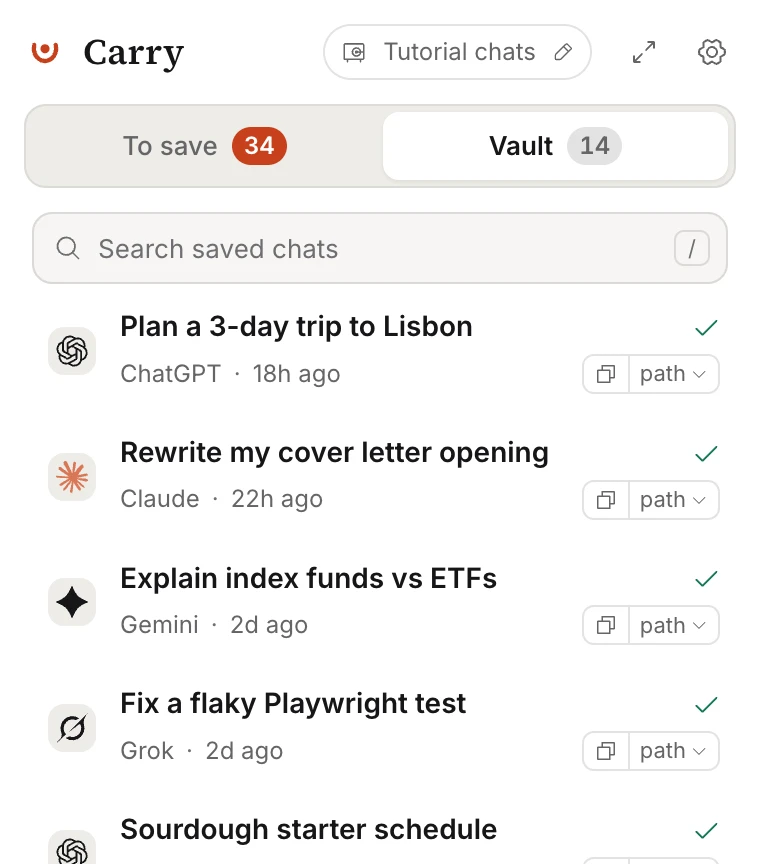
Click the arrow on a chat, then Preview
Click the arrow on the chat's path button and choose Preview. Carry remembers the pick, so next time one click opens it.
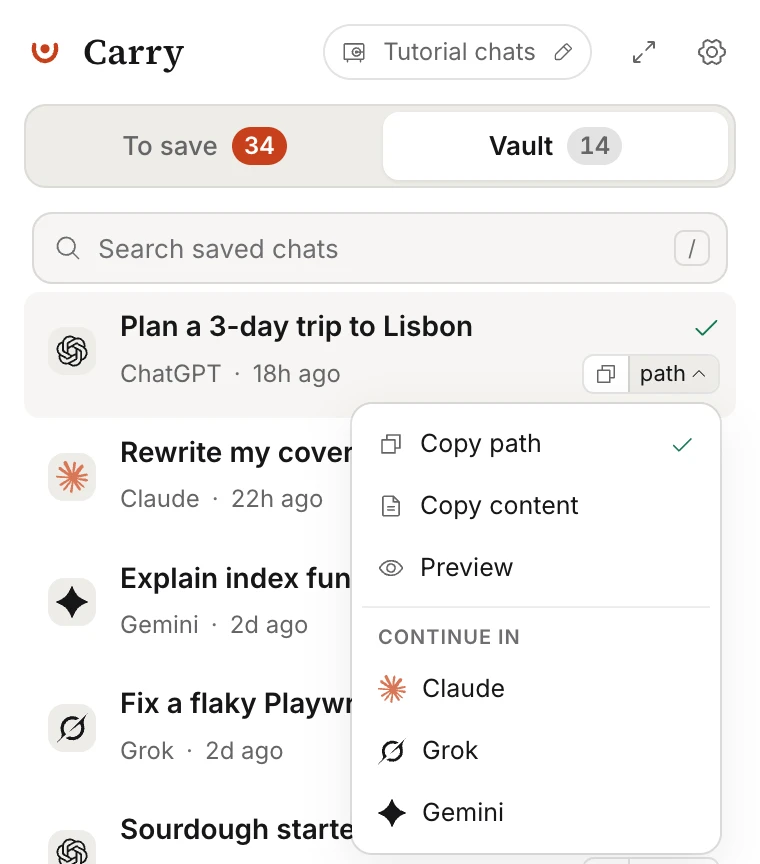
The chat opens in its own tab
Carry reads the note from your folder, so it opens offline and after the chat is gone from the app. Switch to the code view for the raw Markdown, Copy it, or Continue in another AI.

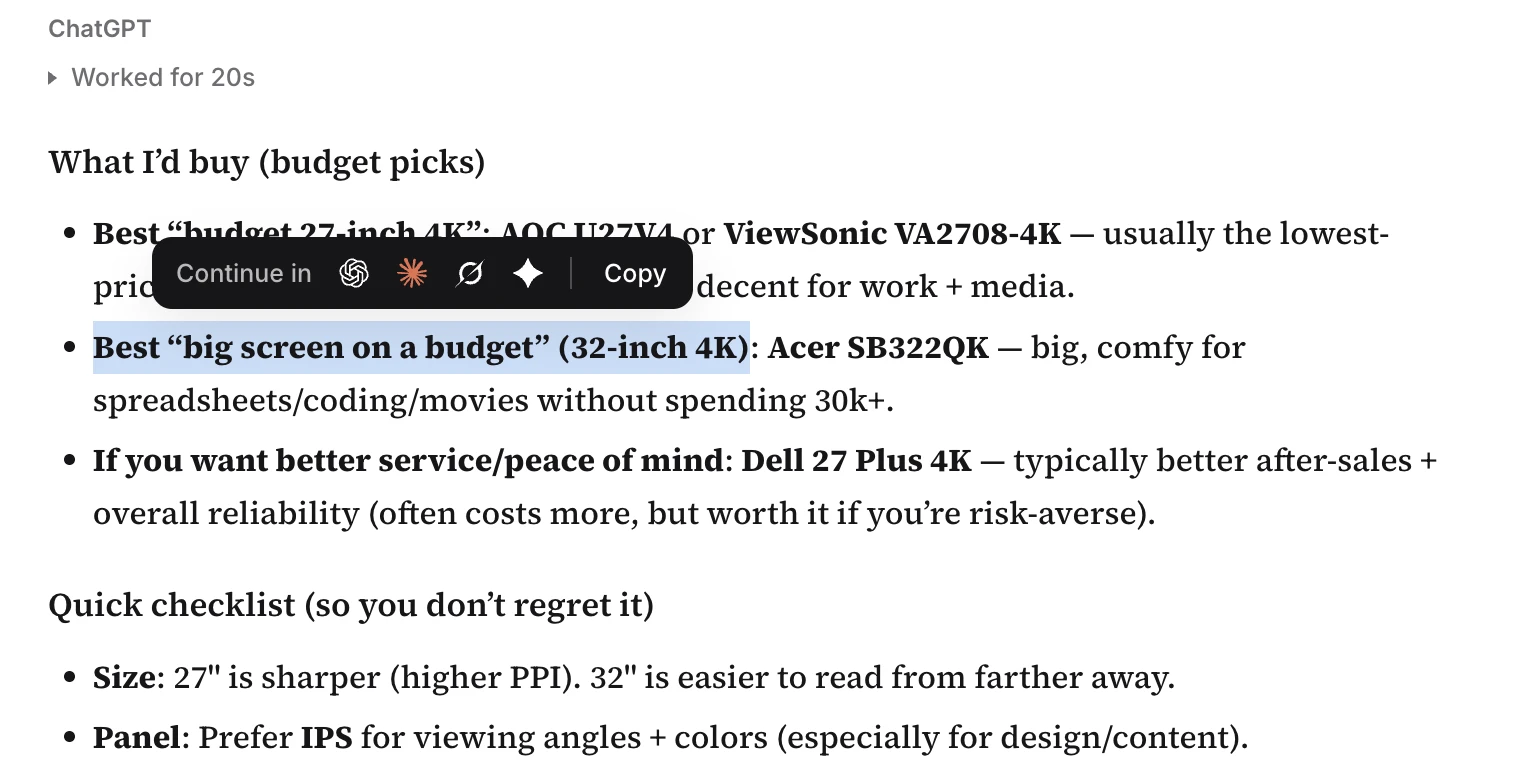
Select a part to continue just that
Select any text in the chat. Pick an app under Continue in to start a new chat with only that part, or Copy it.
Copy contentCopies the chat as Markdown without opening it.
Copy pathCopies where the note is saved, for Claude Code or a script.
Continue inPick up the chat in another AI.