Tutorial
Transfer a ChatGPT chat to Claude, Gemini or Grok
Move one chat to Claude, Gemini or Grok in two clicks: Carry opens a new chat there with the whole conversation attached, so you pick up where you left off.
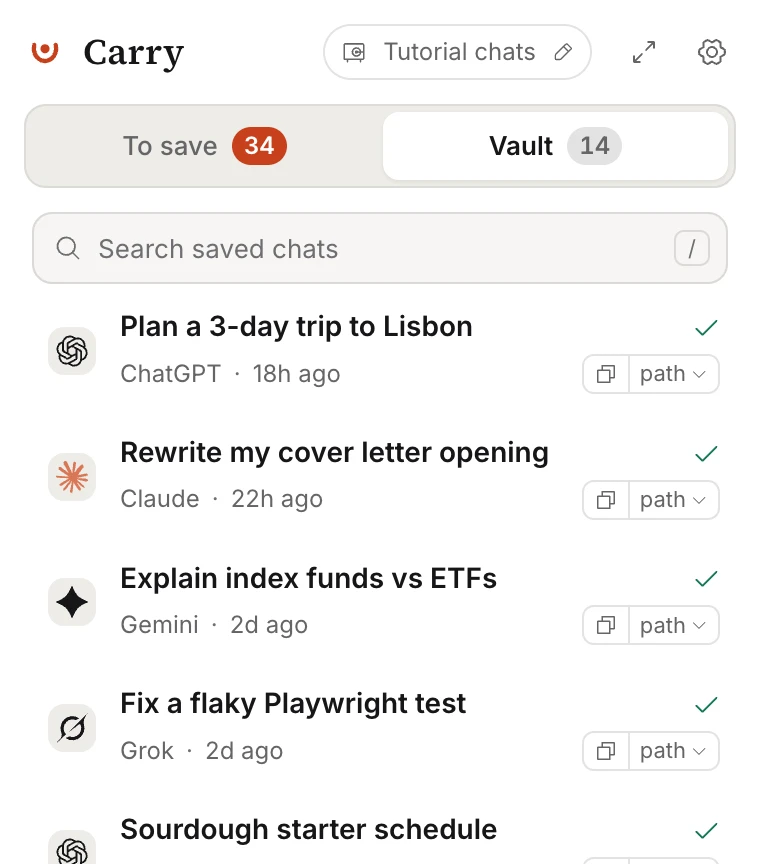
Open the Vault tab
Click the Carry icon in your toolbar, then Vault.
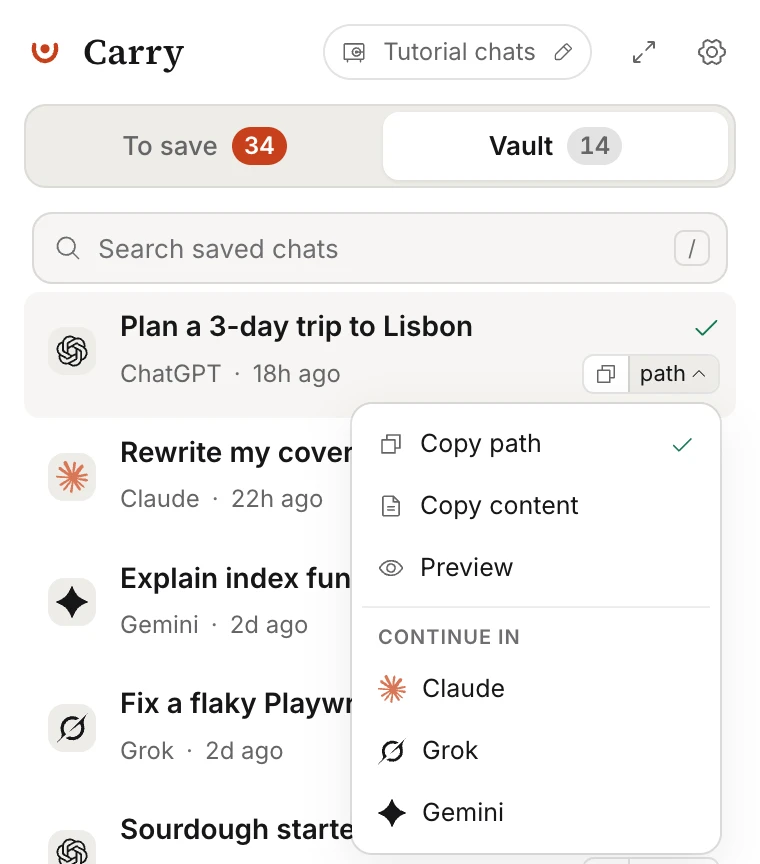
Pick an app under Continue in
Click the arrow on a chat. Under Continue in, pick the app you want: the list shows the other three.
Done
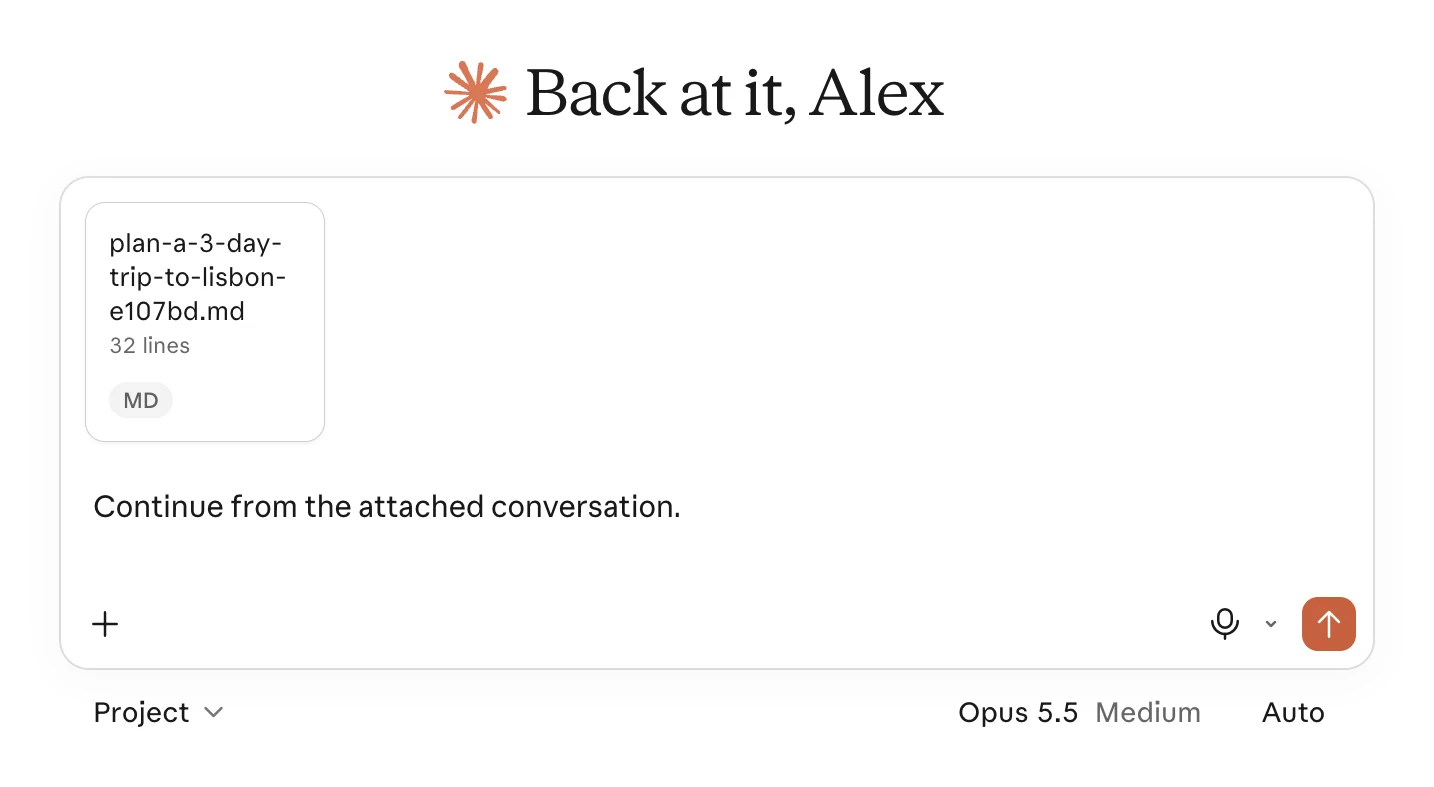
A new chat opens with the conversation attached
Carry attaches the saved chat as a .md file and types "Continue from the attached conversation." It never sends; you check it and press send.
If attaching failsCarry copies the chat instead: “It’s copied, paste it here.”
App not connected?Continue in shows “Copied” and opens the new chat with the transcript on your clipboard to paste.
More places to startContinue in also works from note preview, highlighted excerpts and collected search quotes.
Check it firstPreview the chat before you move it.